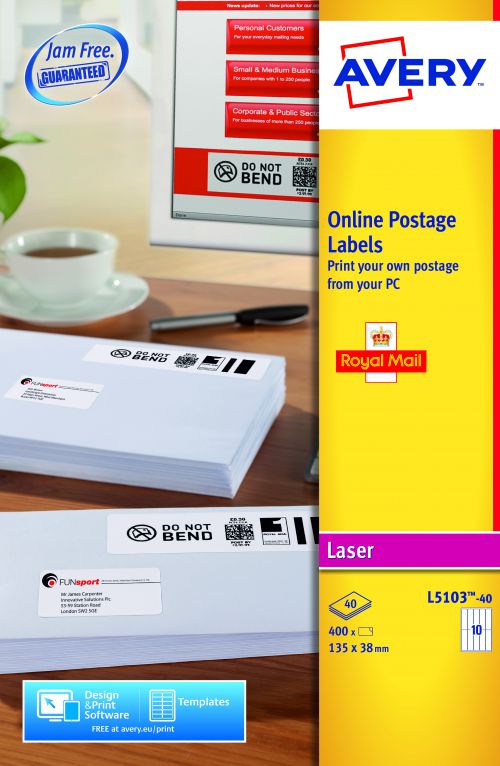
No need to leave the office and join a queue for stamps or spend the last hour of each day franking. You can create your own postage mark! Using the Royal Mail Smart Stamp™® software and Avery® Online Postage Labels you can produce postage labels online all from the convenience of your own PC. Then all you need to do is print and apply! Online postage is a great time saver and very easy to create using the software from Royal Mail with the added benefits of Avery’s easy-to-use templates which have been specifically created for use with the Royal Mail online postage system. These laser labels have 10 labels per sheet and at 135 x 38mm each label has more than enough space for you to print the postage mark safely. Avery® Online Postage Labels are guaranteed Jam Free™ ensuring peace of mind and no printer jams! This is just one of the many ways Avery® can make your office life easier. Printing is easy with free software from Avery. We have been developing template and software solutions for over 20 years and we offer various free tools to help you print including Design & Print software, templates for Microsoft Word, downloadable Avery Wizard for use with Microsoft® Office® and apps for tablets and mobiles. To get the most out of Avery products we recommend using our free Design & Print Software available online or as a desktop download at avery.co.uk/print. Here you’ll find all sorts of inspiring pre-designs, templates and creative tools. Design & Print enables you to create beautiful looking labels, cards and transfers to suit any occasion. Whether you need to run a mail merge, send a package to an old friend, create fun stickers, some new business cards or you simply need some smart labels to organise your office or home, Avery Design & Print can help you make them look great and print easily. Following simple steps on or offline, or even on your tablet, you can easily add a logo, photos, text or even a barcode to your design.